






How it works
If you've ever pulled out of a driveway knowing you should write something down, and known you wouldn't, this page is for you.
Say what happened, in your own words, whenever it's convenient. Not a dictated form, just a voice note. "Showed the Hendersons the Maple Street house. They liked the kitchen, hated the commute situation, want to stay under 425."
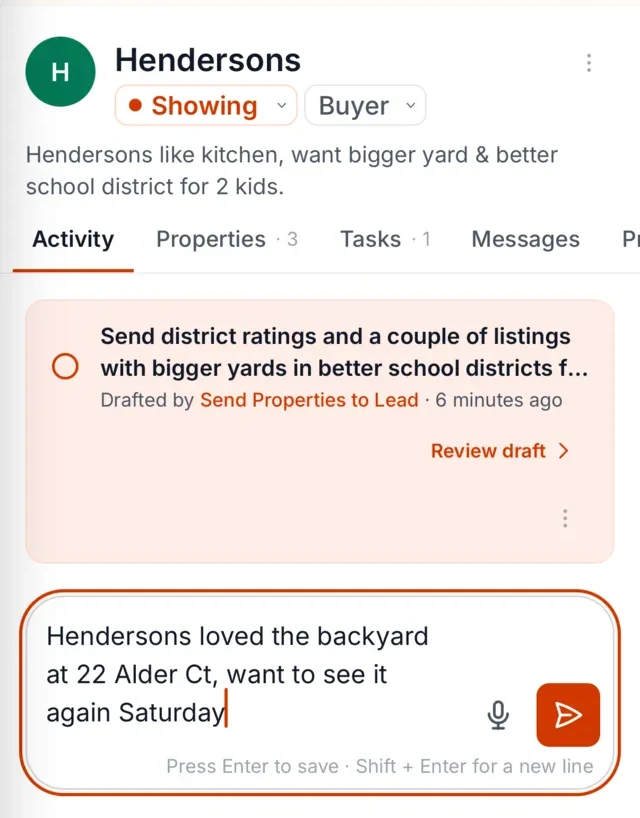
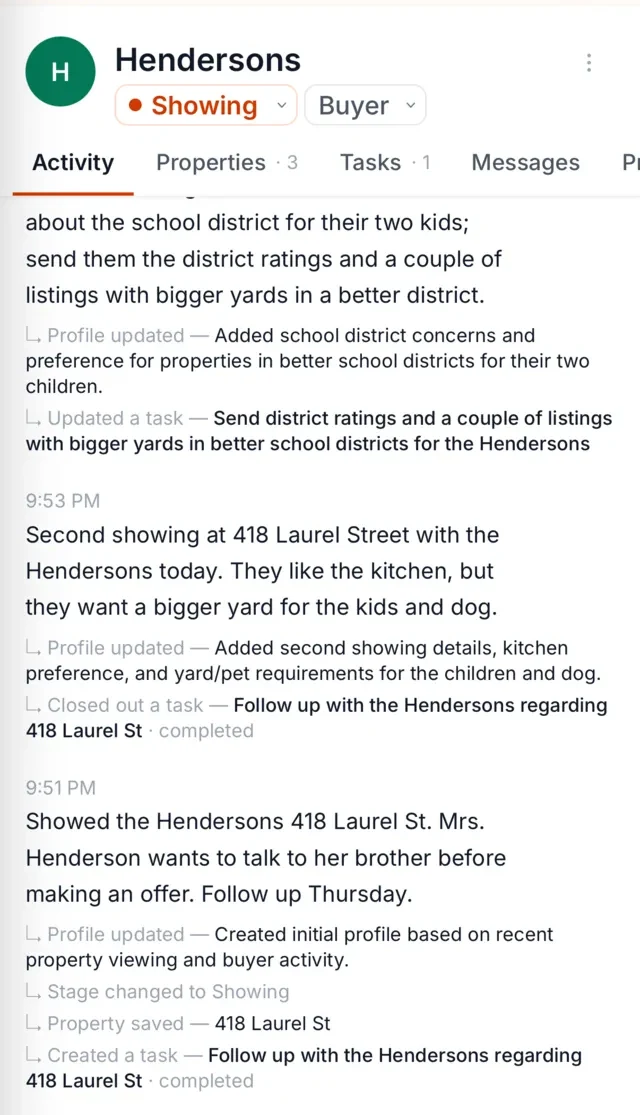
The Librarian transcribes the note and attaches it to the right client. Nothing to file, no client ID to look up. It matches what you said to the person you were talking about, so "the Hendersons" becomes a note on the Hendersons, not a stray audio file.
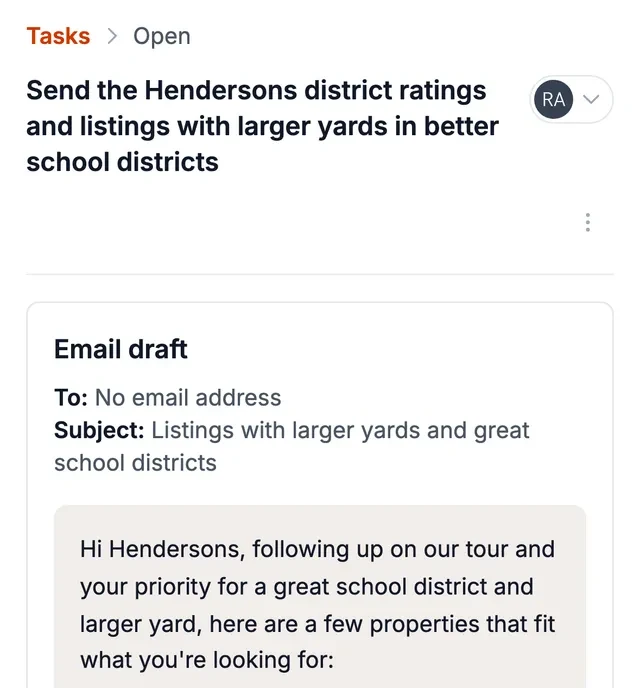
Later, when something needs your attention, The Librarian reminds you who needs you, and the follow-up is already drafted, using what you actually said, so you're reviewing rather than composing. By default, you approve each message before it goes out.
Why typing notes after showings doesn't happen
Because by the time you're back at a desk, you've had two more conversations, a callback, and a seller asking about the open house. The details from the 10 a.m. showing are gone or muddled, and writing them now takes longer than they're worth.
This isn't a discipline problem. It's a timing problem. The moment you know something is the moment you're least able to stop and type it: in the car, on the porch, in the hallway between appointments. Any system that requires a keyboard at that moment will lose to the next thing that happens.
Voice is the input that fits the actual shape of your day. You can talk hands-free on the way back, while you lock up a listing, while you walk to your car. The question was never whether notes matter; it's whether the notes can get written at the only moment they exist.
From voice note to client memory
Here's an example voice note, the way an agent might actually say it:
"Okay, showed the Millers the Oakridge condo this afternoon. Second showing, they're getting serious. Maria was worried about the HOA fee, that's the main hesitation. Tom liked the parking garage, didn't say much else. They want to think it over the weekend. I should probably send them that HOA document before Saturday."
And here's the kind of record it produces:
- Client: The Millers
- Property: Oakridge condo (2nd showing)
- Hesitation: HOA fee (Maria's main concern)
- Positive: Parking garage (Tom)
- Timeline: Deciding over the weekend
- Commitment: Send HOA document before Saturday
Notice what didn't happen: you didn't stop to categorize anything, pick a lead stage, or decide whether "HOA fee concern" goes in a notes field or a follow-up field. You just said what happened, and the structure appeared.
Reminders and drafts that come out of the note
The note isn't just filed away. It becomes the starting point for what happens next. When you say when you'll follow up, that becomes the reminder, and the draft picks up the hesitation you mentioned. The Librarian surfaces who needs you and hands you a draft built from your own words.
It's a small distinction but a real one: you're not being handed a blank page and a due date. You're being handed something that's mostly done, because the information was already captured when it was fresh.
If you're curious how the reminder side works in more depth, we've written a whole page on follow-up reminders for real estate agents.
A voice notes app for realtors vs dictation apps vs CRM add-ons
There are a few different kinds of tools in this space, and they're solving different problems.
Dictation apps for real estate agents turn speech into text. What you get is a transcript. Where it goes, who it belongs to, and what it means for next week is still your problem. Useful for hands-free typing, but you're doing the organizing.
Voice add-ons for your CRM attach voice to your existing system. They can be better than raw dictation, but they often expect you to be in the CRM when you speak, and to know which client record you're appending to. Fine for the agent who lives in that software; less fine for the agent who's in a car.
The Librarian works alongside your CRM, inbox and portals. You speak; it figures out who you're talking about, remembers it in the right place, and then comes back to you with a reminder and a draft. Call it voice lead capture: real estate conversations happen in cars and driveways, and a spoken note is the easiest way to keep them.
Privacy
Your recordings go into your Librarian account, attached to the client they're about. They're not published anywhere and not used to train models.
Client conversations often include real personal details: a couple's budget, a divorce, a school-age kid's struggles. Those details deserve to live somewhere with the same discretion you'd apply to them in person. This is your client information; it stays yours.
Works alongside your tools
The Librarian connects directly to BoldTrail CRM, Gmail, Google Calendar, Google Contacts, WhatsApp and SMS and works alongside the rest of your tools, so a spoken note about yesterday's showing is there when your next follow-up is due. You can read more about how it works with your showing workflow, or compare it against the idea of a real estate virtual assistant.
FAQ
Does it work hands-free?
Yes. You can leave a voice note hands-free, on the way back from a showing or while you lock up, and it is transcribed and attached to the right client the same way.
Does it record calls?
No. The Librarian handles notes you record on purpose, after or between conversations. It doesn't record calls, but it can work from a transcript another tool made.
Where does the note end up?
In your client's record in The Librarian, transcribed and attached to the right person, where it feeds your reminders and drafted follow-ups.