






How it works
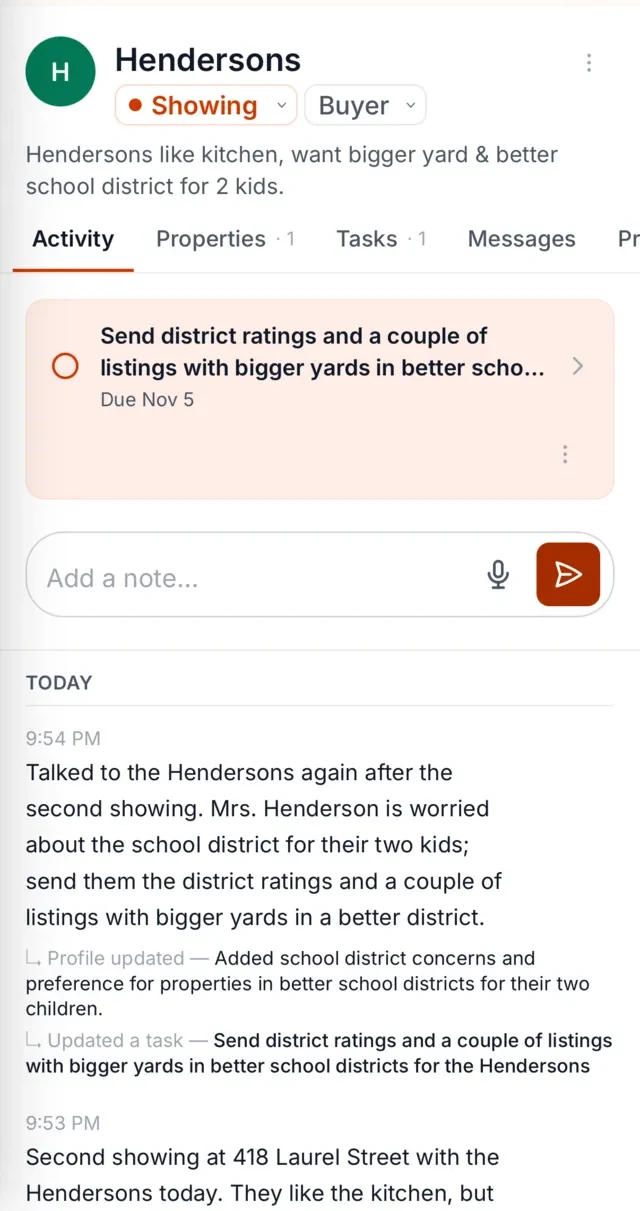
Say what happened. After a call or showing, you talk to The Librarian the way you'd talk to a colleague: "The Hendersons liked the kitchen but thought the second bedroom was small. They want to see anything with a garage." No forms to fill in.
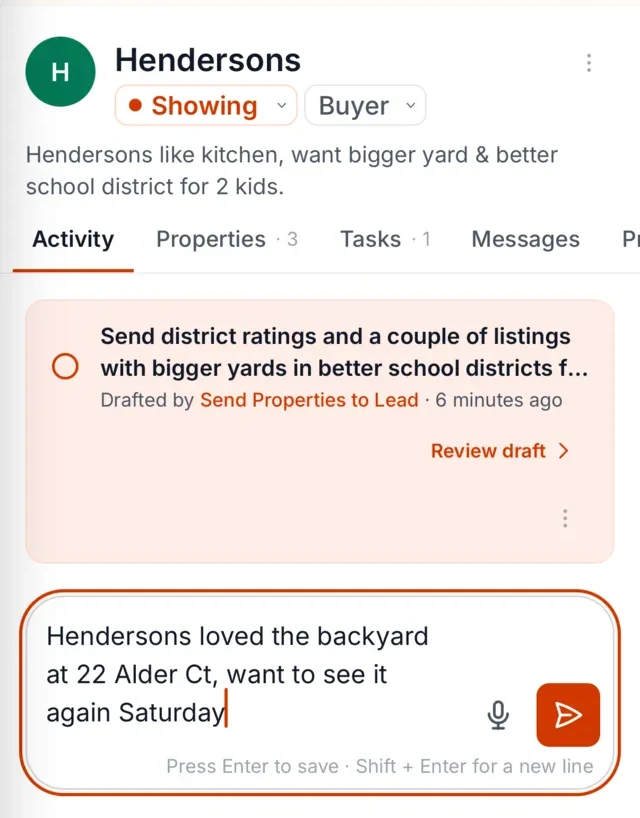
The Librarian remembers it against the right client. The note is attached to the Hendersons. Three weeks later, when a garage listing comes up, the context is still there.
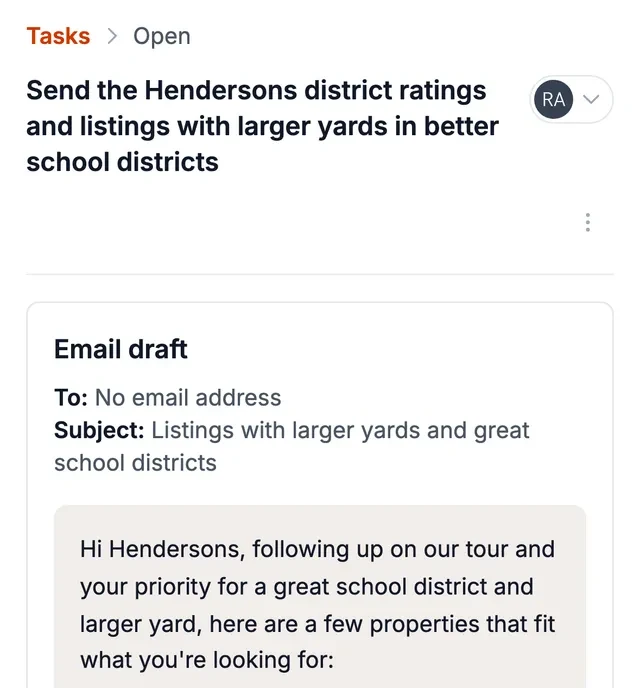
You get reminded, and the follow-up is drafted. When it's time to reach back out, The Librarian tells you who needs you and has a draft ready, which you can review, adjust and send. By default, you approve each message before it goes out.
What a real estate CRM is for
A real estate CRM earns its subscription in a few specific ways. It holds your pipeline, so you can see who's at what stage. It runs drip campaigns, which keep loosely-warm leads from going cold. On a team, it routes leads and keeps everyone working from the same record.
These are real jobs, and a good one does them well. If you've already settled on the best CRM for real estate agents for your situation, whether that's a full-featured platform for a team or a simple free one you're testing out, keep it. The Librarian isn't asking you to give it up.
Why agents still miss follow-ups
The gap isn't the software. It's the moment of capture. A CRM for realtors only knows what you type into it, and typing happens at a desk, after the fact, when you can half-remember what was said. The most valuable details (the hesitation in a buyer's voice, the offhand comment about a job change, the "maybe in the spring") are the ones least likely to survive the trip from the car to the keyboard.
So the CRM record looks complete, and the relationship still leaks. Missed follow-ups are usually a memory problem, with an interface that doesn't fit the workday.
What sits on top
The Librarian sits on top of your CRM, so you don't have to change systems, and works alongside your MLS, inbox and portals. It adds a layer a CRM isn't built for: capture by voice, memory attached to the right client, and reminders that surface who needs you before the follow-up goes stale.
If you've ever wondered whether real estate agents need a CRM at all and felt the answer was somehow both yes and no: that's the distinction. You need the pipeline. You also need something that remembers the conversation, and that part has always lived in your head until now.
Solo agent vs team
A solo agent's problem is bandwidth. You're the agent, the marketer, the admin, and the follow-up department, often in the same hour. A real estate CRM helps, but the bottleneck is that nothing gets recorded unless you stop and record it. Voice capture removes that step. For a solo agent, the question that matters is whether anything catches what happens between appointments.
A team has a different problem: context lives in individual heads. The agent who showed the house knows what the buyers said; the agent following up on Thursday doesn't. A shared memory layer means the follow-up sounds like it came from someone who was in the room.
A neutral checklist for choosing a CRM
Whether you're evaluating a real estate CRM for the first time or reconsidering the one you have, here's what to look for, with no vendor names, just the questions worth asking:
- Does it match how you actually work, or does it demand a new habit?
- Can you capture a lead or note in under a minute, from your phone?
- Do drip campaigns let you edit the wording, or only toggle them on?
- If you leave, can you export your data cleanly?
- Does the pricing make sense for your transaction volume, or only for a team's?
- Does it handle the boring parts, like duplicate merging and contact cleanup, without a project?
One more question worth adding: does it remember what people told you, or only what you typed? If the answer is the latter, that's the gap a memory layer fills.
Works alongside your tools
The Librarian works alongside the tools you already use (your CRM, MLS, inbox and portals) rather than asking you to abandon any of them. You keep your pipeline where it is; The Librarian adds voice capture, client memory, and drafted follow-ups on top. See how it works with your CRM for the details.
FAQ
Is The Librarian a CRM?
No. It's a memory and follow-up assistant that sits on top of your existing systems. Your CRM holds the pipeline, drips and routing; The Librarian holds the context: what was said, by whom, and what you promised to do next. Each lead in The Librarian carries a simple stage, but it is not a CRM replacement.
Do I have to switch CRMs?
No. It works alongside whatever you're using, and you don't have to switch CRMs to start.
Does it work with my CRM?
It integrates with BoldTrail CRM, with more CRMs coming. With any other CRM it works alongside: tell it how a conversation went and it prepares a summary ready to add to your CRM, which stays your system of record. It also keeps your Google Contacts up to date, and connects to Gmail, Google Calendar, WhatsApp and SMS. Whatever you're using today, you can keep using it.
I don't have a CRM, can I start with The Librarian?
Yes. The Librarian keeps your client memory and follow-ups and doesn't require a CRM for that. Each lead also carries a stage, from New through Under Contract to Closed, so you can see where things stand. It is not a CRM replacement: when you want drip campaigns or team routing, add a CRM and keep The Librarian on top of it.