Run Your Business from WhatsApp - Turn Messages into Actions

CEO The Librarian
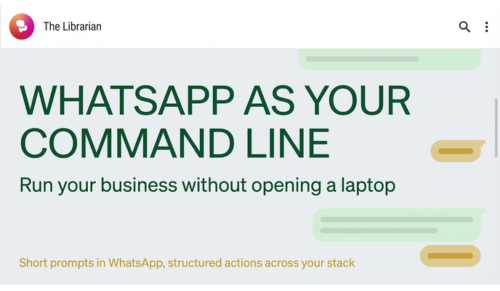
Run your entire business from WhatsApp with AI. Log leads, message clients, schedule time, and draft posts using simple messages. Perfect for agents, consultants, and field teams who need low-friction, high-impact productivity on the go.
Why Use a Laptop When Your Phone Handles It - No Switching Apps or Tabs
You already do real work in WhatsApp, so make it your action surface. With an AI assistant wired into your tools, short messages turn into scheduled calls, logged leads, and drafted emails without tab-hopping. So why jump to a laptop, hunt for tabs, and stitch tools together when you can treat WhatsApp like your command line? (A command line is a simple text interface where you type a short instruction and the system executes it immediately.) With a modern AI assistant integrated into your stack, you can trigger actions, update systems, and keep operations moving using short, natural messages. Think of it as a human-friendly CLI: you type intent, the assistant executes.
Privacy, Security, and Control
- You decide what the assistant can access: CRM records, email scopes, calendars, and files are permissioned.
- Clear audit trails: Every action is logged with time, source, and result to help with compliance and team visibility.
- Sensitive workflows can require approval: For payments, contract sends, or bulk outreach, require explicit confirmation.
What This Looks Like in Practice
- Capture and route information in seconds: Forward a client’s voice note or text and say, “Log this to the CRM under Sarah Nguyen, mark as hot lead, and schedule a call this Friday.” The assistant transcribes, enriches, and files it where it belongs.
- Run follow-ups on time: “Send a friendly nudge to John about the revised proposal, attach the latest PDF, and CC finance.” It drafts, sends, and tracks the thread.
- Keep your calendar clean: “Block 90 minutes tomorrow afternoon for deep work, avoid overlapping with client calls, and add a Zoom link for my 4 pm check-in.” Your calendar updates with smart constraints.
- Spin up content quickly: “Post a concise LinkedIn update about our new feature, highlight the benefits for small teams, and schedule it for 9 am Eastern.” Draft is created, reviewed, and queued.
- Stay on top of tasks: “Show me all open tasks related to the Wilson account from Slack and email, summarize status, and propose next actions.” You get a digest you can act on immediately.
- WhatsApp automation, hands-on: “Using Librarian, send me a daily WhatsApp reminder at 8 am to review yesterday’s unanswered messages, then deliver a gentle nudge for any thread still quiet.” Your follow-ups go out on time while you stay in control.
WhatsApp as an Operator Console: Clear ROI for Teams
- Revenue velocity: Faster nudges and tighter cadences shorten sales cycles and reduce stalled deals.
- Operational efficiency: One surface to trigger multi-step workflows cuts tool-switching and saves operator time.
- SLA adherence: Automated reminders and confirmations improve on-time delivery for client updates and tasks.
- Data quality and auditability: Natural language inputs turn into structured CRM entries with a clean activity trail.
- Manager visibility: Real-time confirmations and digests surface risks early and enable targeted coaching.
- Lower training overhead: Familiar chat interface makes adoption fast, reducing ramp time for new hires.
- Resilience at scale: Consistent Detect, Decide, Deliver loops keep follow-ups reliable even as volume grows.
Under the Hood: What Makes This Work
- Integrations with your core systems: CRM, calendar, email, storage, and optionally project management or helpdesk.
- Voice-to-structured data: Transcription and field mapping let a voice note become a CRM record, task, or email draft.
- Policy-aware automation: The assistant respects rules you set, like tagging conventions, approval steps, or privacy controls.
- Smart defaults with guardrails: Time zones, working hours, preferred templates, and escalation paths are baked in.
A Day in the Life, Without Opening a Laptop
- 8:10 am: “Give me my day at a glance.” You get your meetings, travel time, and the two deals needing attention.
- 9:05 am: “Turn Sharon’s voice note into a lead, tag ‘Retail’, and schedule a discovery call.” Done, with a calendar invite and Zoom link.
- 11:30 am: “Summarize the Slack thread about the vendor contract and propose a reply.” You get a clean, client-friendly response to approve.
- 2:00 pm: “Draft a one-paragraph LinkedIn update about our automation wins this week, keep it friendly and data-light.” It’s queued for review.
- 4:45 pm: “Prepare a short handover note for tomorrow, list top three priorities, and share with the team.” The note is sent where your team actually reads it.
Designing Your WhatsApp Commands
- Keep it short and specific: Start with a verb, then the object. “Send, schedule, log, summarize, post, draft, update.”
- Add light context when it matters: Client name, due date, channel, or document.
- Use templates for repeatables: “Follow-up template A,” “Intro template,” “Invoice reminder.”
- Prefer review-once, then automate: Approve a draft the first time, then let the assistant reuse it.
Getting Started in 20 Minutes
- Connect your core tools: Calendar, email, CRM, and files first. Add Slack or project management next.
- Set smart defaults: Working hours, time zone, meeting lengths, preferred video platform, and your writing tone.
- Define three starter commands: For example, “Log a lead,” “Follow up on a proposal,” and “Block focused time.”
- Pilot with one team or client: Use real work and measure the reduction in toggling and turnaround time.
- Immediate wins in week one: Most users see faster replies, fewer stalled threads, and a 10 to 20 percent drop in context switching within days as your AI assistant on WhatsApp automates routine follow-ups.
Common Use Cases Across Industries
In mobile or field-heavy roles, WhatsApp reduces friction because it works reliably on the go, even with spotty connectivity, and accepts quick voice notes, photos, and short commands without opening multiple apps. This means operators can Detect, Decide, Deliver in the flow of work, capturing context at the source and triggering follow-ups before they leave the site or the car.
- Real estate: Capture viewing notes, schedule follow-ups, send summaries to clients, and update the CRM from the car.
- Agencies and consultancies: Draft SOW follow-ups, log client approvals, and publish short updates on social.
- Trades and field services: Turn site photos and voice notes into job tickets, order lists, and next-visit checklists.
- Ecommerce and DTC: Respond to VIP customers, escalate support tickets, and post quick campaign updates.
Measuring Success
- Time saved per action: How many minutes you save by not opening a laptop or switching apps.
- Follow-through rate: Fewer dropped balls on follow-ups, higher task completion.
- Lead handling speed: Time from first touch to CRM entry and scheduled next step.
- Team visibility: Fewer “any update?” messages because status lives in the right place.
The Mindset Shift
Stop treating WhatsApp as a chat-only tool. Treat it like an action surface. When you think in verbs, you turn intent into outcomes quickly. Your assistant handles the orchestration. You keep your attention on decisions and relationships.
Conclusion: Turn WhatsApp Into Your Command Line, Keep Work Moving
If work already happens in WhatsApp, make it the place you run the business. One short prompt at a time, your assistant captures details, routes tasks, schedules meetings, publishes updates, and sends follow‑ups. Same chat, same flow, less friction. You get consistent outcomes across your tools, real visibility into what’s done and what’s next, and momentum that doesn’t depend on opening a laptop. Run the business where work actually happens.