Practical AI Governance - How an AI Personal Assistant Makes Compliance Invisible

CEO The Librarian
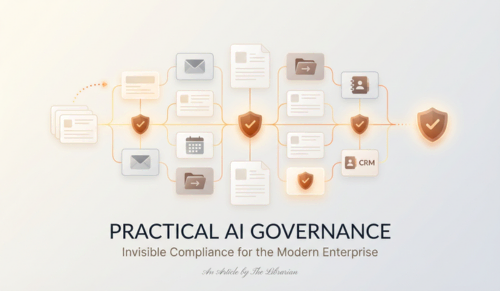
A practical look at how an AI personal assistant makes compliance effortless in everyday work. Simple guardrails, clearer accountability, and faster workflows without extra hoops.
Compliance usually feels like paperwork under intense scrutiny. What if it felt invisible? With The Librarian, an AI personal assistant, the safeguards live inside your daily tools, so teams move faster while staying safe. This article shows how an AI assistant turns messy, real-world tasks into secure, auditable workflows using plain-English rules. We will also touch on where free AI and AI productivity tools fit in, and how to evaluate them.
Why This Matters
Policies do not help if they slow people down. When controls are baked into the flow of email, calendar, files, and CRM, they reduce risk and remove friction. That’s where an AI assistant like The Librarian shines: it catches sensitive info, limits oversharing, and keeps simple records of what changed of what changed.
What Invisible Compliance Looks Like
- Hide sensitive details automatically: The Librarian flags and masks things like ID numbers or personal contact details in email drafts and notes before they go out.
- Share only with the right people: When you ask to share a file, it suggests the smallest, safe list by default, and warns if someone outside the group is added.
- Keep a clean activity trail: It records a plain-language history of who approved, sent, or edited something, so there is no guesswork later.
- Standardize tricky steps: For repeat tasks, like sending onboarding docs or confirming client data, it follows the same checklist every time, so nothing is missed.
- Nudge, don’t nag: It offers quick fixes you can accept in one tap, like “Remove phone number” or “Limit access to project team,” keeping the flow light.
Everyday Examples
- Email: “Draft the client update and make sure no phone numbers are visible.” The Librarian prepares the email, hides the numbers, and adds a short note saying what was hidden.
- Files: “Share the pricing sheet with sales.” It shares only with the sales list, not the whole company, and logs the share.
- Calendar: “Book a call with ACME legal.” It adds the meeting, attaches the right template agenda, and notes that legal approved the final version.
- CRM: “Add notes from today’s call.” It stores the notes, masks any private details, and links the activity to the right account automatically.
How This Boosts Speed and Trust
- Fewer reworks and escalations because mistakes are caught early.
- Clear, lightweight accountability without heavy processes.
- Consistent quality across teams, even when people are busy.
The Role of Free AI and AI Productivity Tools
Free AI tools are great for getting started, testing workflows, and proving value in small teams. For sensitive work, consider:
- Where your data lives and who can see it.
- Whether the tool keeps an activity history.
- How it handles sensitive details in content and files.
- If it integrates with your existing stack. The Librarian focuses on secure access, clear logs, and hands-free operation, so you get the speed of an AI productivity tool with the control you need.
Getting Started With The Librarian
- Connect your email, calendar, files, and CRM.
- Set simple rules in plain English, for example, “Hide IDs and phone numbers in outgoing notes” or “Share files only with the project team by default.”
- Try a week of everyday tasks and review the activity log on Friday to see exactly what was caught, fixed, or streamlined.
FAQ, In Plain Terms
- Is this another dashboard? No. It works inside the tools you already use and shows quick suggestions you can approve.
- Will it slow me down? No. The goal is fewer steps. Most fixes are one tap.
- Can I see what changed? Yes. Every send and share includes a simple note of what was adjusted.
Closing
Compliance should not feel like a roadblock. With an AI personal assistant like The Librarian, the smart guardrails sit in the background, so teams move faster and make fewer mistakes. If you are testing free AI or other AI productivity tools, start with simple rules, clear logs, and real tasks. Invisible compliance, visible results.